

Video Walkthrough
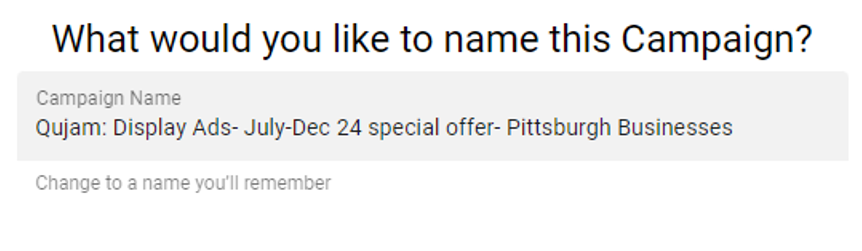
In this video, we'll go over some best practices, general information, and how-to tips when working on a Qujam campaign's setup page that asks the questions; "What would you like to name this Campaign?" and "What type of ads will you serve?"
If the video is blurry, your device may have reduced it's quality. Simply click the gear icon in the lower right corner of the video and select a higher quality.
Tips for Naming your Qujam Geofencing Campaign
- Pick a detailed naming convention that saves future you the headache of hunting down a campaign
- We recommend including the following in the name of your Qujam campaign
- Name of the advertiser
- Flight dates/times
- Type of ads
- Market/Geographic indicators
- A detail about the campaign. Examples include: special offer, seasonal promotion, etc...

Tips for Picking Your Ad Types
- If your budget allows and you have the creative assets, it's best to use all three ad options to get the best reach, frequency, and results. You can only pick one ad type per campaign, but you will be able to copy a campaign under a different ad type.
- Understand the pros and cons of each ad type
- Display Ads
- Pros: lowest cost per thousand (CPM), clickable, most reach, most frequency, can be animated or static, lots of inventory
- Cons: not video-based, not as impactful as video options on an impression-to-impression basis, shows up on smaller devices normally (phones, tablets, and computers)
- OTT/CTV Ads
- Pros: shows up on larger screens, holds audience's attention longer, more credible, more influential, video based
- Cons: non-clickable, less inventory, highest CPM
- Video Pre-Roll Ads
- Pros: holds audience's attention, more influential, video based, lower CPM than OTT/CTV and digital audio, decent reach/frequency
- Cons: some non-clickable, less inventory than display ads, higher CPM than display ads, shows up on smaller devices (phones, tablets, and computers)
- Digital Audio Ads
- Pros: holds audience's attention, more influential, audio based, lower CPM than OTT/CTV, okay reach/frequency, reaches the audience during unique times when they are listening to audio (driving, working, exercising)
- Cons: non-clickable, less inventory than display ads, higher CPM than display ads and video pre-roll ads, less inventory, shows up on smaller devices (phones, tablets, and computers)
- Display Ads


